FX Rates Management
Last updated: June 29, 2026
Campfire’s Help Center has moved. As of June 2026, this article is no longer being updated. Find the latest version in our new Help Center: view here.
Overview
Campfire's FX Rate Management gives you full visibility into the exchange rates being used across your entity and the ability to upload custom rates in bulk.
This guide covers how to view exchange rates, upload custom rates via CSV, and use exchange rates in the contract uploader.
Viewing Exchange Rates
Navigate to Settings → Exchange Rates
The Exchange Rates page displays all exchange rates Campfire is currently using for currency conversions, including system-provided rates and any custom rates you have uploaded. This gives you full transparency into how currency translations are being applied across your financials.
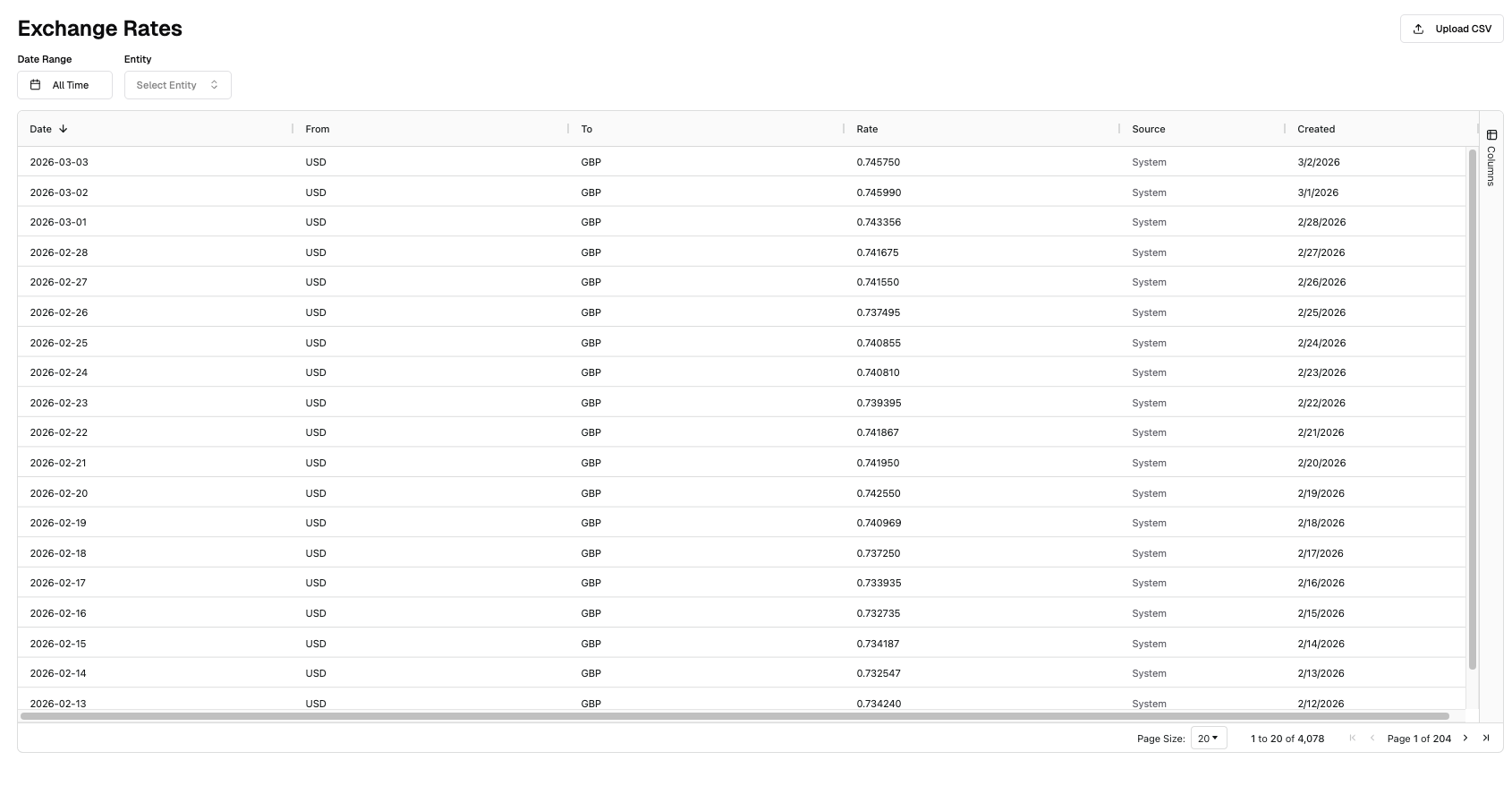
Optional Filters:
Filter | Description |
Date Range | Filter rates by a specific date range. |
Entity | Filter rates by a specific entity. |
Uploading Custom FX Rates
Campfire also gives you the ability to upload custom rates in bulk via CSV.
From the Exchange Rates page, select Upload CSV in the top right corner.
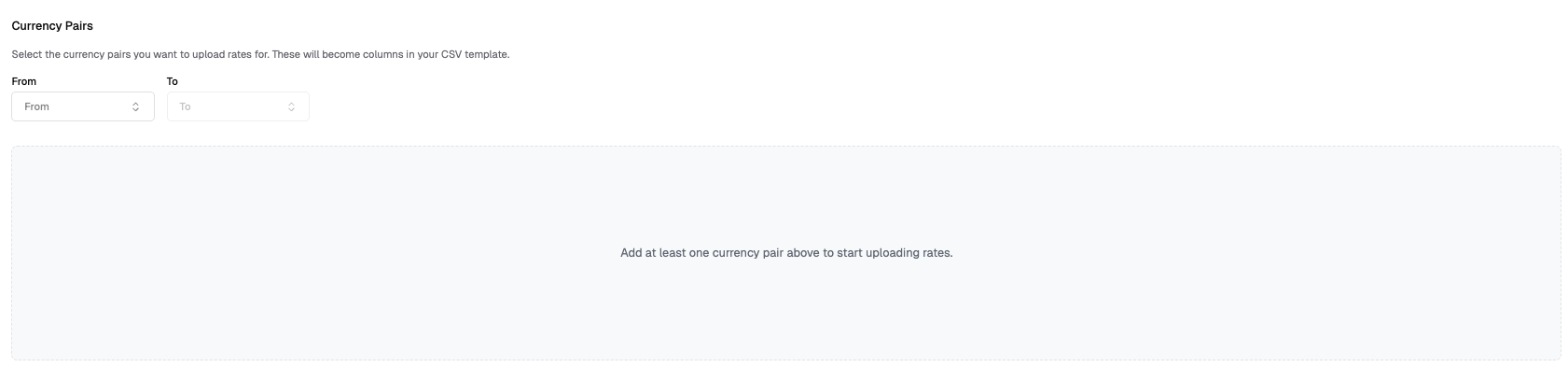
Before downloading the CSV template, you must first select the following required fields:
Field | Description |
From Currency | The source currency code (e.g., USD). |
To Currency | The target currency code (e.g., EUR). |
Once the From and To currencies are selected, download the CSV template and fill out the required fields:
Column | Description |
Date | The date the exchange rate should be applied. |
Conversion (e.g. USD/GBP) | The conversion rate to apply. |
Once uploaded, Campfire will apply your custom rates for the applicable currencies and periods, overriding any system rates where applicable.
Note- You are not able to upload a rate for more than one day into the future.
⚠ Important: Uploading new rates will overwrite any previously saved rates and will immediately affect all transactions, including historic ones. This could have significant implications for your historic financial reports. Use with extreme caution and always verify your rates before uploading.