Ember: Invoice Recovery Agent
Last updated: June 29, 2026
Campfire’s Help Center has moved. As of June 2026, this article is no longer being updated. Find the latest version in our new Help Center: view here.
An Ember AI agent that autonomously manages the collection of overdue invoices. Rather than manually chasing payments, the agent monitors open AR, drafts collection emails, tracks payor responses, and escalates tone over time - all without manual intervention beyond initial setup. To get this set up in your Campfire Account, reach out to Campfire Support, or your Customer Success Manager to enable this feature within your Campfire Account. See below on configuring this agent within your account and how to best use this tool.
Step 1: Configure Your Settings (one-time setup)
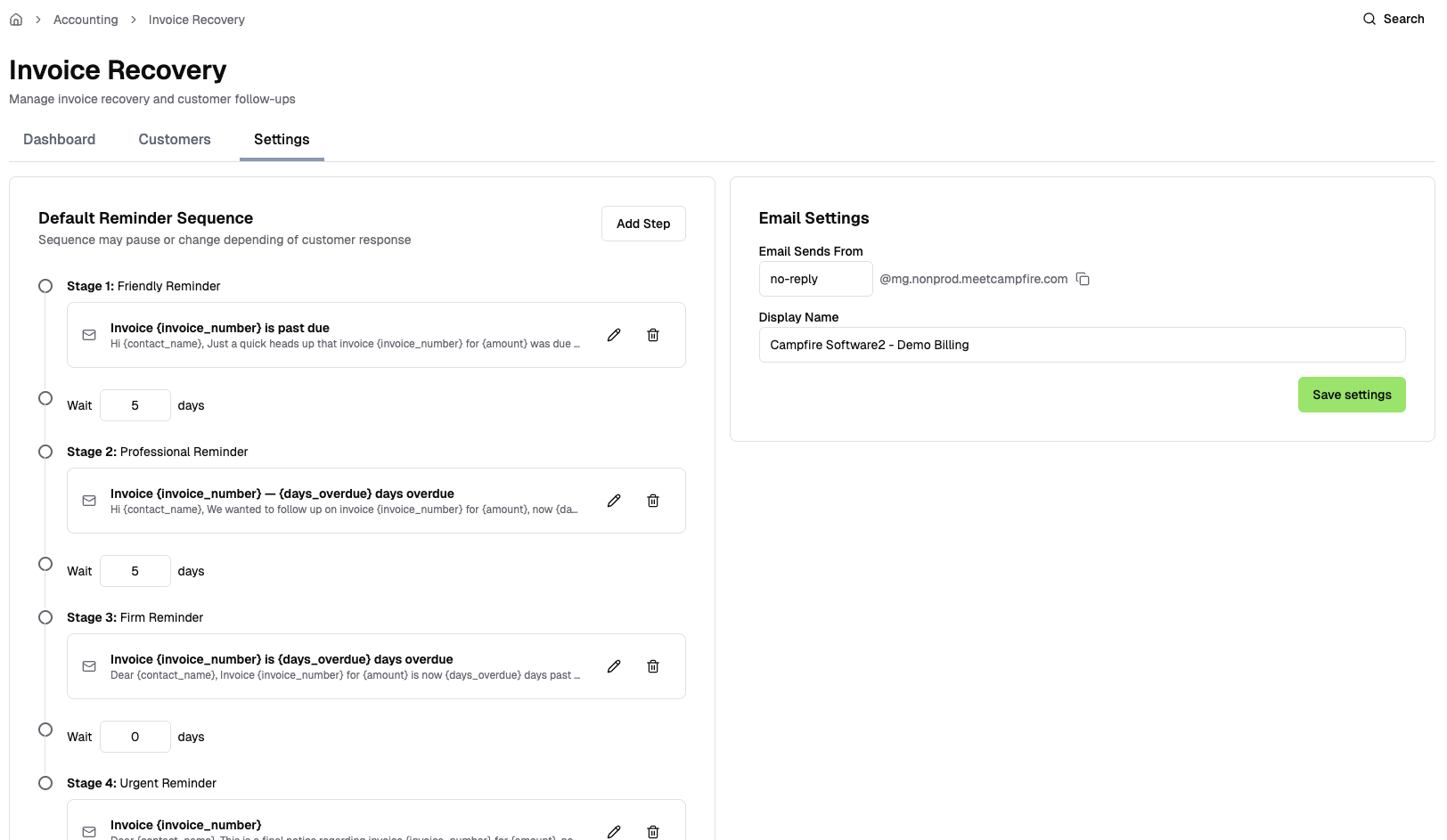
Before chasing any invoices, set up your preferences under the Settings tab:
Email Settings: the name and email address your customers will see reminders from
Reminder stages: your dunning cadence (e.g. a gentle reminder at +7 days, a firmer follow-up at +14, an urgent notice at +30). Each stage has its own tone and email template you can customize
Step 2: Add Customers to Invoice Recovery
Invoice Recovery is an opt-in feature that applies to customers of you're choosing. Campfire automatically identifies customers with overdue, unpaid invoices, but won't start chasing them until you explicitly enroll them. To enroll customers:
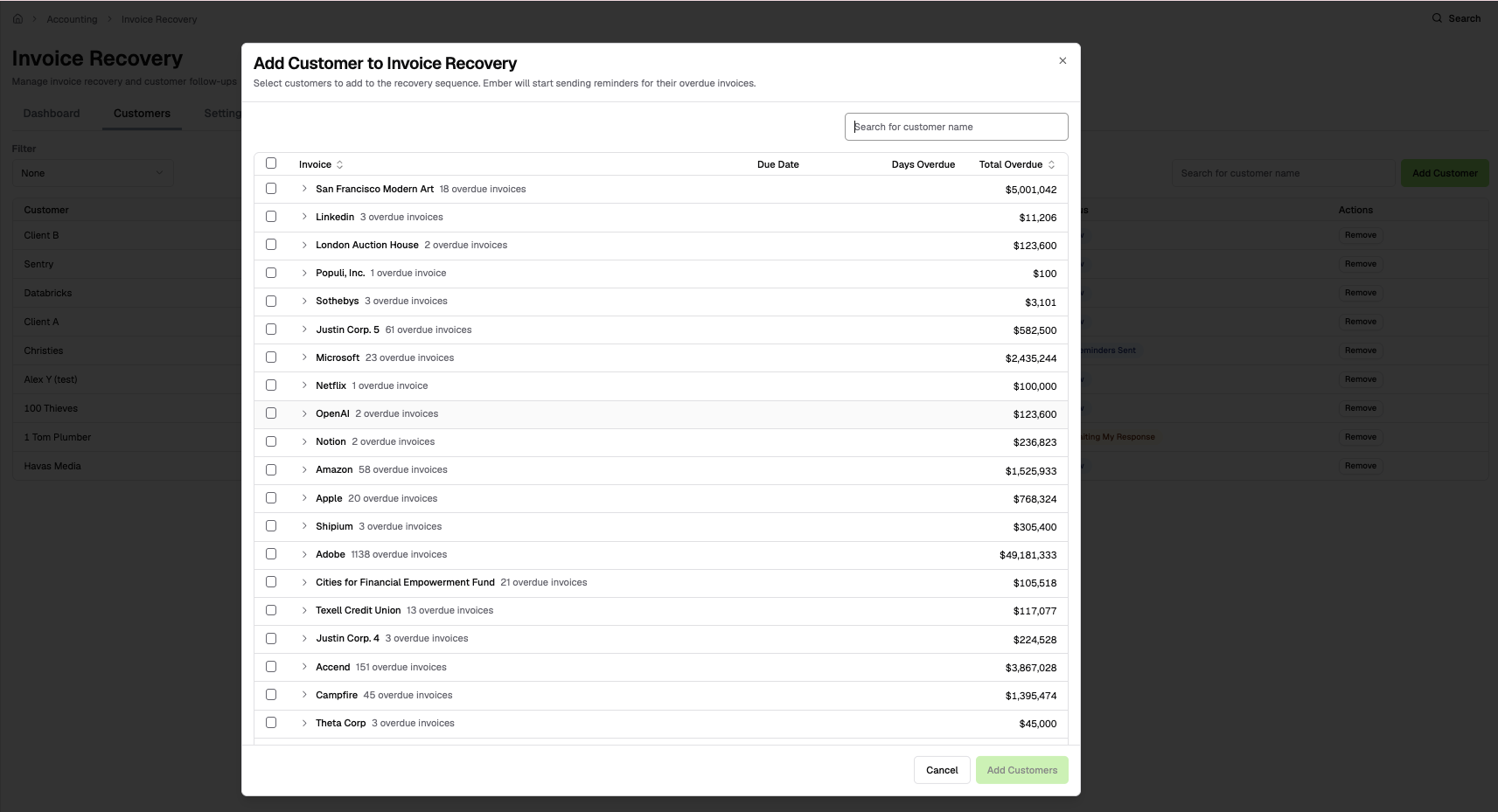
Go to the Customers tab
Click Add Customer
You'll see a list of customers with past-due invoices, along with the number of overdue invoices and total amount owed
Check the customers you want to start recovering, then click Add Customers
Once added, those customers and their overdue invoices appear in your Customers tab. Ember AI will begin the reminder sequence. View and approve the email draft under the Dashboard tab.
Step 3: Ember AI Handles Outreach
After enrollment, Ember drafts all collection emails and follow-ups based on the schedule you configured, but during this phase, nothing is sent without your approval.
Here's what Ember handles:
Drafts reminder emails for each configured stage (Stage 1, Stage 2, Stage 3…)
Escalates tone automatically based on the customer's response (or lack thereof)
References specific invoice numbers and amounts in every message
Schedules follow-up drafts automatically — no manual nudging needed
To send emails, review and approve all Ember-drafted reminders and responses in the Dashboard tab before they go out.
Note: auto-approval settings are on the roadmap and will be available in a future release.
Step 4: Review Replies in the Dashboard
When a customer replies, Ember classifies the response and surfaces it in the Dashboard tab as an Action.
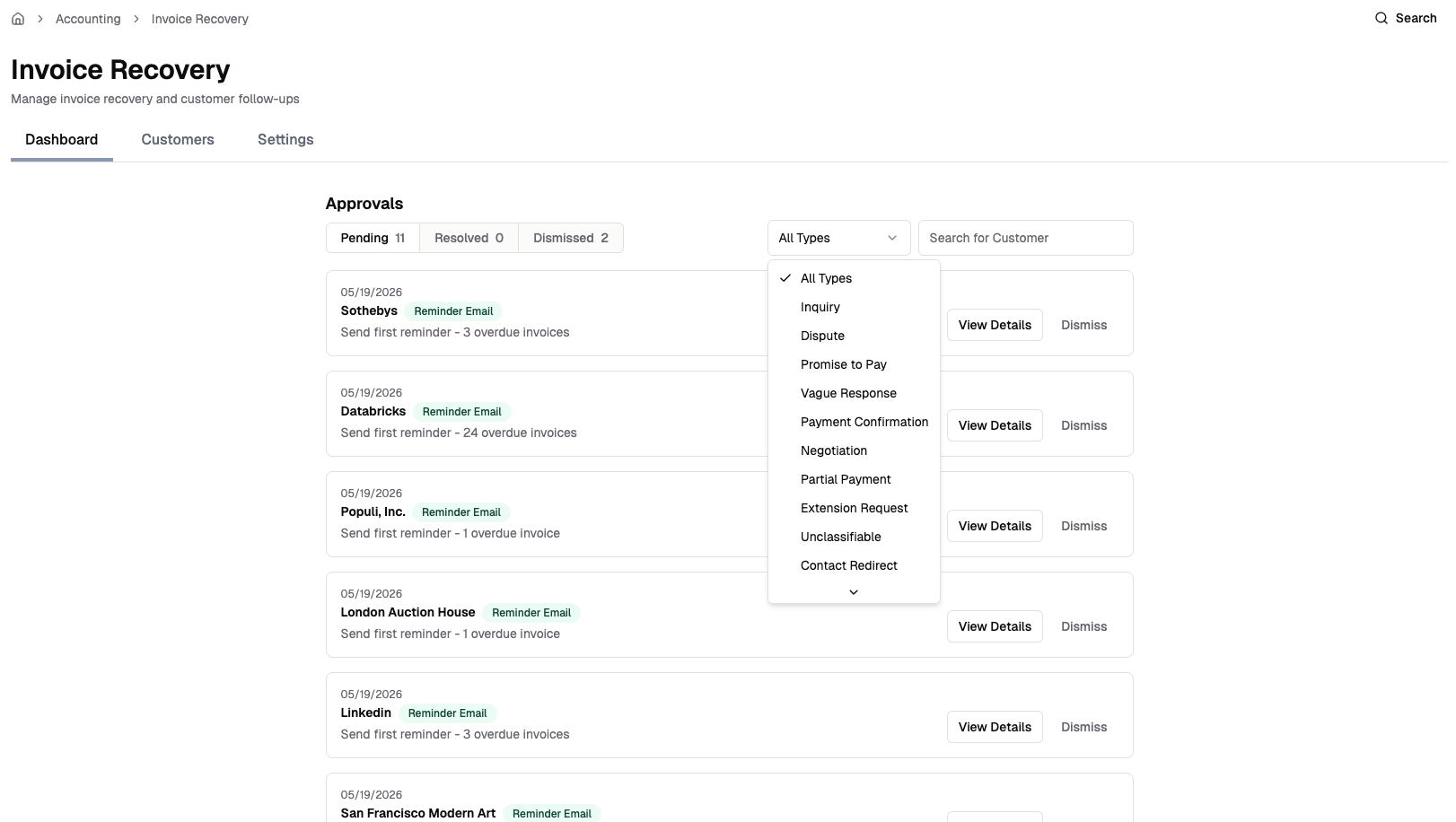
Common categories:
Invoice query: customer asked for a copy or has a question
Promise to pay: customer committed to a date
Dispute: customer is contesting the charge
Contact redirect: invoices should go to a different person.
For each Action, Ember drafts a suggested reply. You can approve the draft, edit it, or dismiss the action if no response is needed.
Step 5: Payments Are Tracked Automatically
Campfire monitors active recovery cases continuously. When an invoice is paid (or voided/written off), it's automatically removed from the recovery case. When all invoices for a customer are settled, the case closes itself, no manual cleanup needed.
Please note that this this feature is currently in Beta. We'd love to hear your feedback as we continue to build it out!